
ZackSo Commander
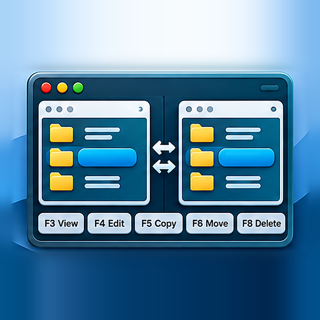
ZackSo Commander shows two folders side by side. Copy or move files from one side to the other with a single key; servers, archives, folder sync and tools are all in the same window.
This help describes the full version from zackso.de/commander. The same pages are in the app under Help › ZackSo Commander Help (⌘?), even without internet.
- Installation and First LaunchDownload ZackSo Commander, move it to Applications, allow access and try it free for 14 days.
- Getting StartedThe window with two file panes, pinned folders and the most important keys.
- Copying, Moving and DeletingCopy, move, rename, delete and undo – and what happens when a name already exists.
- Views, Tabs and FiltersList, icons and gallery, expanding folders, folder sizes, differences, tabs and filter.
- Find and MoreFind files and duplicates, rename many files, compare files and checksums.
- Compare and Synchronize FoldersCompare and sync two folders, also with a server – with dry run and Trash.
- ArchivesOpen ZIP, 7z, RAR and TAR like folders, extract, compress and test; plus ZackSo Unpacker.
- Servers, NAS and CloudUse SFTP, FTP, WebDAV, NAS shares and cloud folders in Commander.
- Drives and Disk ImagesOpen and create disk images, write, back up and format USB sticks and SD cards.
- Images, PDFs and PhotosConvert images, combine PDFs, extract pages, sort photos by date and share.
- More ToolsDisk space analysis, Mac cleanup, Terminal, Open With, info panel and settings backup.
- Keyboard ShortcutsAll keyboard shortcuts at a glance and how to set your own.
- License and UpdatesTry it for 14 days, enter your license key and get updates.
- PrivacyWhich data Commander uses and which it does not.
- Frequently Asked QuestionsAnswers to common questions, from F5 on Mac keyboards to Full Disk Access.
Last updated: 23 Nov 2026